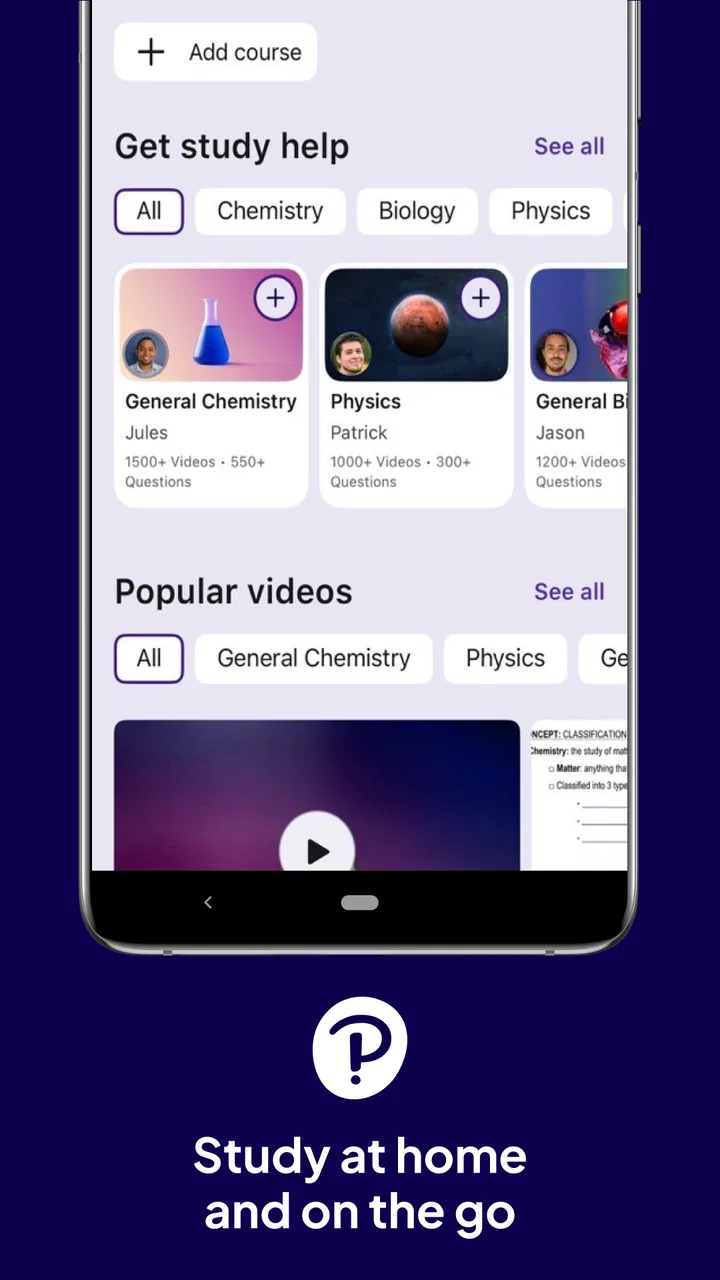
Pearson+ | Study help & eTexts
- 4.7
- Rating
- 500.00K
- Installs
- Free
- Price

 Analysis by App-foxy
I found Pearson+ | Study help & eTexts most useful when I treated it as a focused study companion rather than a complete replacement for every learning tool. It is an education app from Pearson Education, Inc. that brings Pearson learning material into a mobile-friendly routine, making it easier to move between home, campus, work, and those spare moments when opening a laptop feels like too much effort. The basic idea is simple, but the quality of the experience depends heavily on how well the app fits your course materials and study habits.
My first impression was that the app makes sense for students who already use Pearson content or need access to digital textbooks while away from a desk. It is free to install, carries an Everyone age rating, and has built a strong audience with a 4.7 average from around 13 thousand ratings. That popularity suggests it solves a real access problem, although it does not automatically mean every student will find it equally useful.
Getting Pearson+ ready without creating unnecessary friction
The first place I would expect users to get stuck is before studying even begins: identifying the right Pearson account, course, or digital text. With education apps, a phone can be working perfectly while the material still seems unavailable because the student is signed into a different account from the one connected to a class. I would begin by checking the email address and login details I normally use for Pearson learning materials, rather than creating another account immediately.
You May Also Like

 Blood Strike: 2.5 Anniversary
Blood Strike’s Loadouts Turn Every Drop Into a Tactical Gamble
A close look at Blood Strike’s custom loadouts: how fast access to signature weapons reshapes its battle royale rhythm, rewards preparation, and narrows the gap between fights.

 Pandora - Music & Podcasts
Pandora’s Music Is Easy to Start, but Harder to Recover
Pandora’s strength is its low-effort path from a seed to a station. Its weak spot is how much confidence it asks you to place in connection, setup, and quiet recovery.

 8 Ball Pool
 Is Built on Rivalries, Rematches, and Routine
A close look at the rivalries, rematches, shared routines, and unanswered safety questions that turn a quick pool match into a persistent mobile community.

 Samsung Music
’s Quiet Strength Is Playing What You Already Own
Its reach comes less from spectacle than from dependable access to a personal library. That simplicity is both the app’s strongest retention engine and its ceiling.

 AccuWeather: Weather Radar
AccuWeather Review: A Quick, Clear Forecast for Everyday Decisions
For everyday plans, the best forecast is the one you can understand quickly. AccuWeather makes rain timing, radar, and local conditions easy to act on, with a few trade-offs.

 Hill Climb Racing
Why Hill Climb Racing Still Turns Crashes Into One More Run
A tiny car, a bumpy hill and one more upgrade: Hill Climb Racing keeps resurfacing because its simple chaos makes every near-miss feel personal.
More From Our News Desk



That small check matters because duplicate accounts can make a simple access problem look like missing content. If a textbook or study resource does not appear, I would avoid repeatedly reinstalling the app as a first response. I would instead confirm the account, reopen the relevant course area, and give the application a moment to refresh. This is a more sensible starting point than assuming the phone or the app installation is damaged.
Pearson+ | Study help & eTexts is currently listed as version 1.3.26 and supports devices running iOS or Android 9 and later. Before relying on it for a long reading session, I would check the operating system on an older phone or tablet. A device that is below the minimum requirement is not a good candidate for troubleshooting through repeated sign-ins, because compatibility is the first issue to settle.
I also recommend preparing the phone before an important class or trip. Sign in while you have a stable connection, open the material you expect to use, and move through enough of it to make sure the correct content is available. This is not glamorous preparation, but it prevents the frustrating situation where a student waits until a train ride or a library session to discover that the intended resource is not ready.
One useful habit is to separate three questions that are easy to confuse: can I sign in, can I see my course or book, and can I comfortably study from it? Solving the first does not guarantee the second, and seeing a title does not prove that the reading experience will suit you. Testing each step in order makes it much easier to identify where the real problem lies.
What the mobile format does well
The strongest reason to use this app is continuity. A digital textbook on a phone can turn waiting time into a short review session, and that is particularly helpful for students who struggle to create a large uninterrupted block of study time. I can imagine using it before a lecture to revisit a section, during a commute to read a few pages, or at home when I want to check a definition without opening a full computer setup.
That convenience should not be confused with comfort in every situation. A phone screen is practical for short reading and quick reference, but extended textbook work may feel tiring compared with a tablet, laptop, or printed book. I would use the mobile app for portability and continuity, then switch to a larger screen when I need to compare several pages, write detailed notes elsewhere, or concentrate for a long period.
This is one of the app’s important trade-offs. The phone is always nearby, but it also brings notifications, limited screen space, and many opportunities to lose focus. I found the app more valuable when I gave each session a specific purpose, such as reviewing a chapter section or checking a concept, instead of opening it with the vague intention to “study.” The smaller screen becomes less of a weakness when the task is narrow.
Students should also think about how they learn. Someone who absorbs information mainly through printed pages may find a digital text less satisfying, even when access is convenient. Someone who frequently moves between locations may value the opposite: having study material available without carrying a heavy book. Pearson+ is therefore a better match for flexible, location-independent study than for readers who want a traditional paper-first experience.
Recovering a disrupted study session
When the workflow breaks, I would use a calm recovery sequence rather than changing several things at once. First, I would check whether the problem affects only one book or course area, or whether the whole app is behaving differently. Then I would close and reopen the app, verify the account, and try again on a reliable connection. These basic steps are useful because they distinguish a temporary loading issue from an account or content-access issue.
If the app opens but the expected material is not visible, I would return to the course or library area instead of repeatedly tapping the same screen. A student may be looking at a general home view while the actual resource sits inside a particular course or title. The key is to retrace the path used to reach the content, not just restart the phone and hope the layout changes.
Another practical technique is to write down exactly what happened. “The app does not work” is difficult to act on, while “I can sign in, but one title does not appear” gives a much clearer direction. I would note the device, operating system, account used, and the point where the process stops. That record is useful if the issue needs to be reported, and it prevents me from forgetting which troubleshooting steps have already been tried.
I would also avoid uninstalling the app as an early solution if I have not confirmed my account details. Reinstallation can remove the local starting point without addressing the underlying access problem. It is more appropriate after simpler checks have failed and only when I am confident I can sign back in correctly. The goal is to recover the study workflow, not create a second problem by losing track of the login process.
For a realistic example, imagine a student preparing for an evening quiz. The digital text opens, but the chapter seems unavailable. I would first confirm that the student is using the account associated with the course, then check the relevant course or book area, close and reopen the app, and retry on a dependable connection. If the title remains absent, I would record the exact course and resource name and seek help through the appropriate Pearson or school channel rather than spending the entire evening cycling through random fixes.
When the app is not the real problem
Not every frustrating experience points to a software fault. A slow connection can make content appear stuck, while an older device may struggle with a modern mobile reading experience even when the app itself is functioning normally. If other apps are also loading slowly, I would investigate the connection or device before blaming Pearson+. If only one Pearson resource is affected, I would focus on account, course, or content access instead.
There is also a difference between an app problem and a study-design problem. Reading a full textbook on a phone late at night may be technically possible but practically unpleasant. In that situation, switching to a larger screen, changing the lighting, or limiting the session to a short review may help more than reinstalling anything. I appreciate the app most when I use it for the tasks mobile devices handle well: quick access, short reading sessions, and checking material away from a desk.
Students who need extensive writing, complex research, or a broad collection of unrelated textbooks may find a general reading platform or a laptop-based workflow more suitable. Pearson+ is tied to Pearson’s educational ecosystem, so its value rises when your required materials are already there. If your courses use many publishers, a single general-purpose reading app may feel more convenient for keeping everything together, even if it lacks the direct connection to Pearson content.
It is also worth setting realistic expectations about what “study help” means in practice. I would not choose this app expecting it to replace a teacher, a discussion group, a calendar, or a dedicated flashcard system. Its role is more focused: helping me reach Pearson learning material and use it as part of a broader study plan. That narrower role is a strength when I need dependable access, but a limitation when I want one application to organize every part of academic life.
Small workflow choices that make a difference
My most useful approach is to assign the app a specific place in the study cycle. Before class, I would use it to preview a section and identify unfamiliar terms. After class, I would return to the same material with the lecture in mind. Before an assessment, I would use short sessions to revisit weak areas rather than scrolling aimlessly through an entire book. This creates a reason to open the app and makes mobile access more purposeful.
A second helpful trade-off is choosing the right device for the right task. I would use a phone for portability, a tablet for longer reading, and a laptop when I need a broader workspace. That does mean Pearson+ may become one part of a multi-device routine instead of the only study environment, but that is often more comfortable and realistic than forcing every task onto a small screen.
I would also keep a simple note outside the app for questions that arise while reading. A digital textbook can make it easy to jump between sections, but that does not automatically create understanding. Writing down a question, example, or confusing passage gives the next study session a clear starting point and helps connect mobile reading with class discussion or independent practice.
For students sharing devices or moving between school and home, the account check becomes especially important. I would always confirm the active account before assuming a course has disappeared. This is a small, non-obvious source of confusion, and it is more productive to verify it early than to treat every missing resource as a technical failure.
Who should use it and who should skip it
I would recommend Pearson+ to students whose courses already depend on Pearson digital textbooks or learning resources, especially those who study in several locations. It is also a sensible choice for people who want a free app for accessing their Pearson material without carrying a physical book everywhere. The Everyone rating makes it broadly suitable from an age-classification standpoint, while the large audience of over 500 thousand installs shows that mobile access is a familiar use case for many learners.
I would be more cautious if you dislike reading on a phone, depend on paper annotation, or want a single app to manage materials from many publishers. In those situations, Pearson+ may still be useful as a companion, but it probably should not be your only study tool. Students with older devices should also check the operating-system requirement before planning around it.
The app is free, which removes an initial download barrier, but the practical value depends on whether it connects to the Pearson content you actually need. I would not judge it solely by the fact that installation costs nothing. The important question is whether your course materials, account, and preferred reading habits line up with the service. That is the difference between a genuinely useful study companion and an app that simply occupies space on the phone.
My practical verdict
After using Pearson+ as a mobile access point for study material, I see it as a focused and worthwhile education app rather than an all-purpose academic organizer. Its best quality is convenience: Pearson content can fit into short study windows and follow you beyond the desk. Its main weaknesses are equally practical: account or course confusion can interrupt access, and a phone is not always the most comfortable place for long textbook sessions.
The current version is 1.3.26, and Pearson Education, Inc. has built an app that makes the most sense when your learning already runs through Pearson. I would install it if I needed Pearson eTexts while commuting, reviewing before class, or checking a chapter away from my computer. I would skip relying on it alone if I wanted broad publisher support, intensive note-taking, or a traditional paper-reading experience.
My recommendation is simple: use Pearson+ for access and continuity, then pair it with the device and study method that best fit the task. Check the account before troubleshooting, test your course material before an important session, and do not mistake a small-screen limitation for an app failure. Used that way, this free education app can remove a real barrier for students who need their Pearson resources close at hand.
FAQs for Pearson+ | Study help & eTexts
01What is Pearson+ and what can I use it for?
Pearson+ is Pearson’s digital learning platform for accessing supported eTextbooks, study materials, and learning tools in one place. After signing in, students can read selected books online, search chapters, highlight important passages, add notes, and continue studying across compatible devices. The exact content and available features depend on the title, course, region, and subscription or access code connected to your account.
02Do I need a subscription or access code to use Pearson+?
Most Pearson+ content requires either an active subscription, an eligible purchase, or an access code supplied by your school, instructor, or textbook provider. Installing the app alone does not necessarily unlock every eTextbook or study feature. Before downloading, check whether your required title is supported and confirm the available plan, trial conditions, renewal terms, and whether your institution has already provided access.
03Can I read Pearson+ eTextbooks offline?
Pearson+ may allow supported eTextbooks to be downloaded for offline study, which is useful when traveling or studying without a reliable internet connection. However, offline availability can vary by title, device, account status, and licensing restrictions. You may need to open the book online first and periodically reconnect so the app can verify your access and synchronize notes, highlights, or reading progress.
04Which study tools are available in Pearson+?
Depending on the eTextbook and course, Pearson+ can provide tools such as keyword search, bookmarks, highlights, personal notes, adjustable reading settings, and navigation between chapters or sections. Some Pearson learning products may also connect with assignments, quizzes, or additional study resources, but these are not guaranteed for every book. Feature availability should be checked on the specific title page before purchase.
05Is Pearson+ available on both Android and iPhone, and will my progress sync?
Pearson+ is designed for mobile study and may be available on supported Android and iOS devices, as well as through a web browser. Signing in with the same Pearson account can help synchronize reading progress, notes, and highlights across compatible devices. Performance may depend on your operating system, app version, screen size, and internet connection, so keeping the app updated is recommended.
Pros
- Includes digital textbooks and study tools in one app.
- Search and navigation make finding textbook content quick.
- Notes and highlights help organize important information.
- Audio options can support studying while commuting or multitasking.
- Useful for students whose courses use Pearson learning materials.
Cons
- Access may depend on an eligible Pearson subscription or course code.
- Not every textbook or course is available in the mobile app.
- Some features require a stable internet connection.
- Large eTextbooks can use considerable storage for offline access.
- The app is less useful if your school does not use Pearson resources.

Pearson+ | Study help & eTexts
Gallery